The Challenge
If you:
- Spend hours generating repetitive, parameter-based CAD drawings.
- Rely on master drawings, Excel inputs, or complex dynamic blocks that require constant updates.
- Need geometry, dimensions, and annotations to adapt automatically when order parameters change.
- Have skilled engineers spending more time updating drawings than designing.
- Struggle to recruit, train, and scale skilled CAD talent.
- Find senior engineers tied up in repetitive drafting instead of high-value engineering and innovation.
- Need to deliver more projects with the same manpower and less turnaround time.
Manual repetition wastes time, increases errors, and keeps your most experienced engineers tied up with work that should be automated. Then, you’re in the right place.
Introducing Super Dynamic Blocks by GaammaBytes
An intelligent CAD automation technology that transforms repetitive, parameter-driven drawing generation into a fast, consistent, and scalable process. From Hours of Drafting → Minutes of Automated Drawing Generation. Reduce repetitive work. Accelerate delivery.
Curious how Super Dynamic Blocks transforms repetitive CAD work?
Watch this short video to see how master drawings, parameters, and CAD automation come together to generate drawings in minutes.
Super Dynamic Block automates drafting direct from Excel inputs—saving 90% of drawing time so your engineers can focus on core design.
Automate What You Repeat
Super Dynamic Block over Traditional Approach
| Workflow Stage | Traditional Dynamic Block Approach | Super Dynamic Block Solution |
|---|---|---|
| Parametric Setup | Complex constraint definitions; prone to broken dependencies. | Variable-driven template; simple Variable tag assignment. |
| Text & Annotations | Text positions get displaced when geometry stretches. | Text positions update dynamically with exact offset rules. |
| Dimensioning | Dimensions fail to scale automatically with new variables. | Dimensions re-link and update values seamlessly. |
| Execution Time | 4 to 8 Hours per drawing variation / revision. | In minutes generation time direct from Excel inputs. |
The Method
How does the Implementation process work?
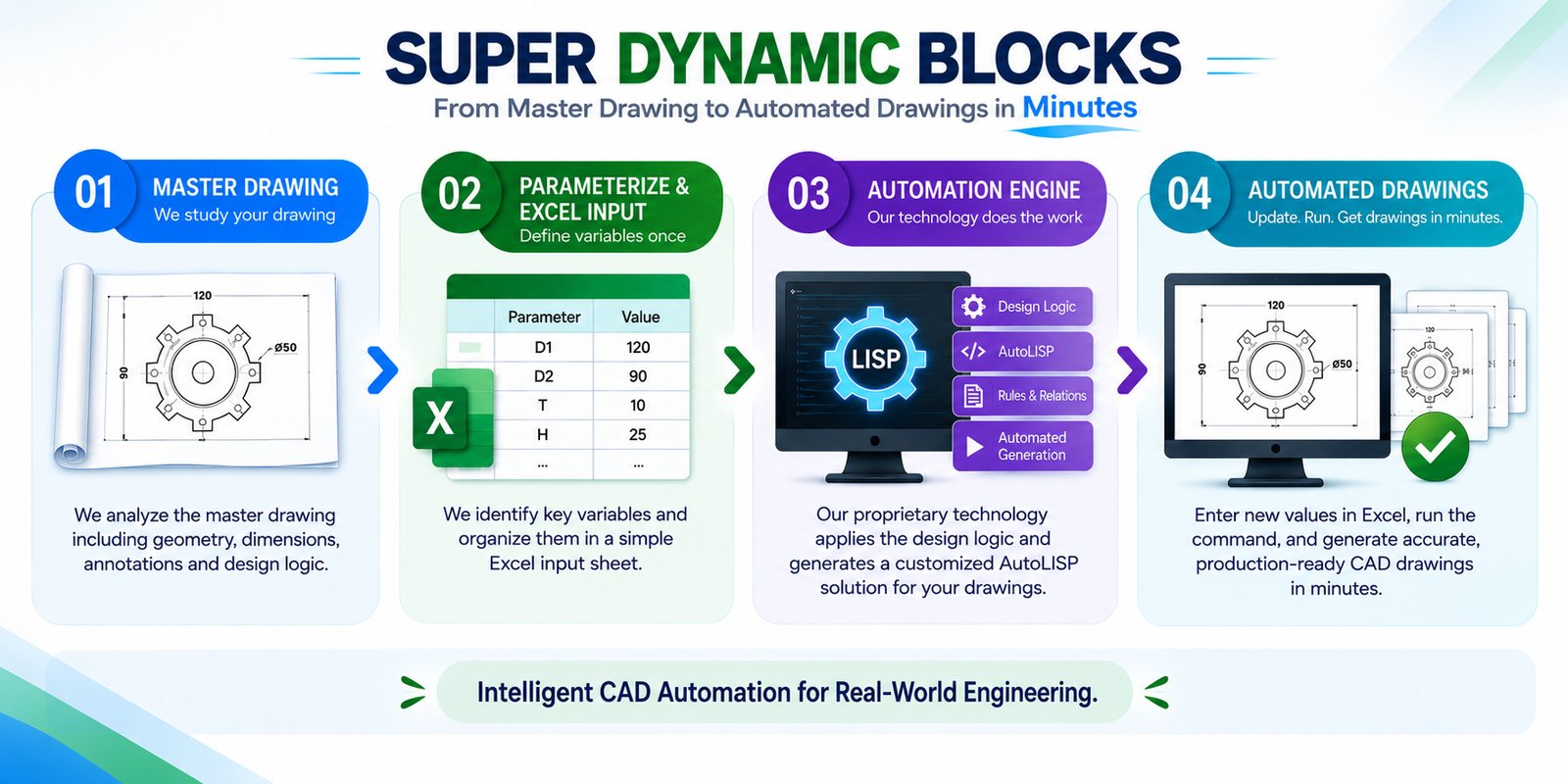
Study Master Drawing
We study the Master drawing in detail and identify and parameterize every variable that influences the drawing.
Excel Parameterization
All these variables are then organized systematically in an Excel sheet.
AutoLISP Generation
Next, we recreate the complete drawing using these parameters and automatically generate an AutoLISP program using our proprietary technology.
Immediate Deployment
The final AutoLISP solution is delivered to your organization, ready for immediate deployment.
Tasks that previously required hours of manual drafting can now be completed in just a few minutes. The result? Faster project delivery, improved productivity, and significantly reduced engineering effort.
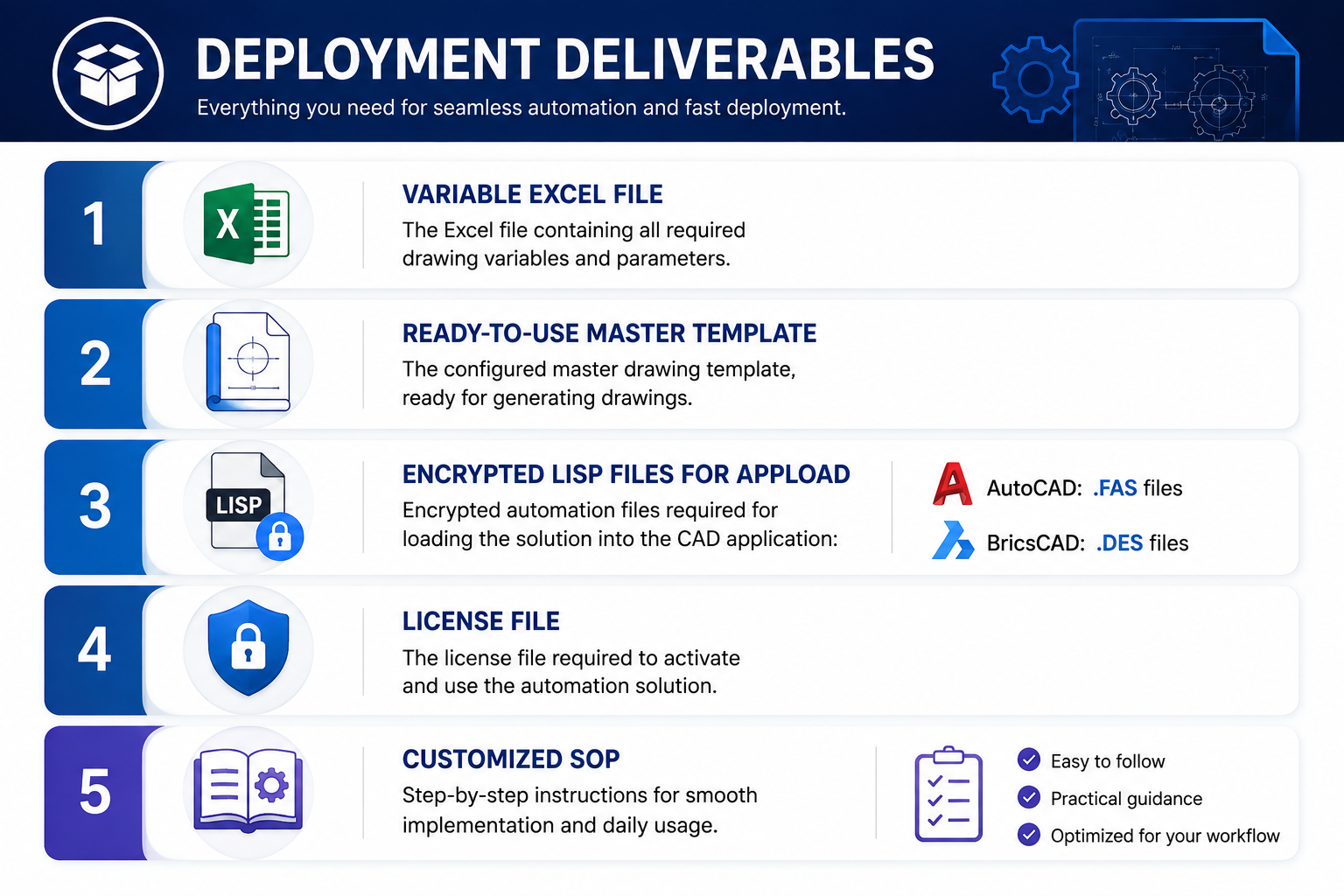
Your Deliverables
The Result
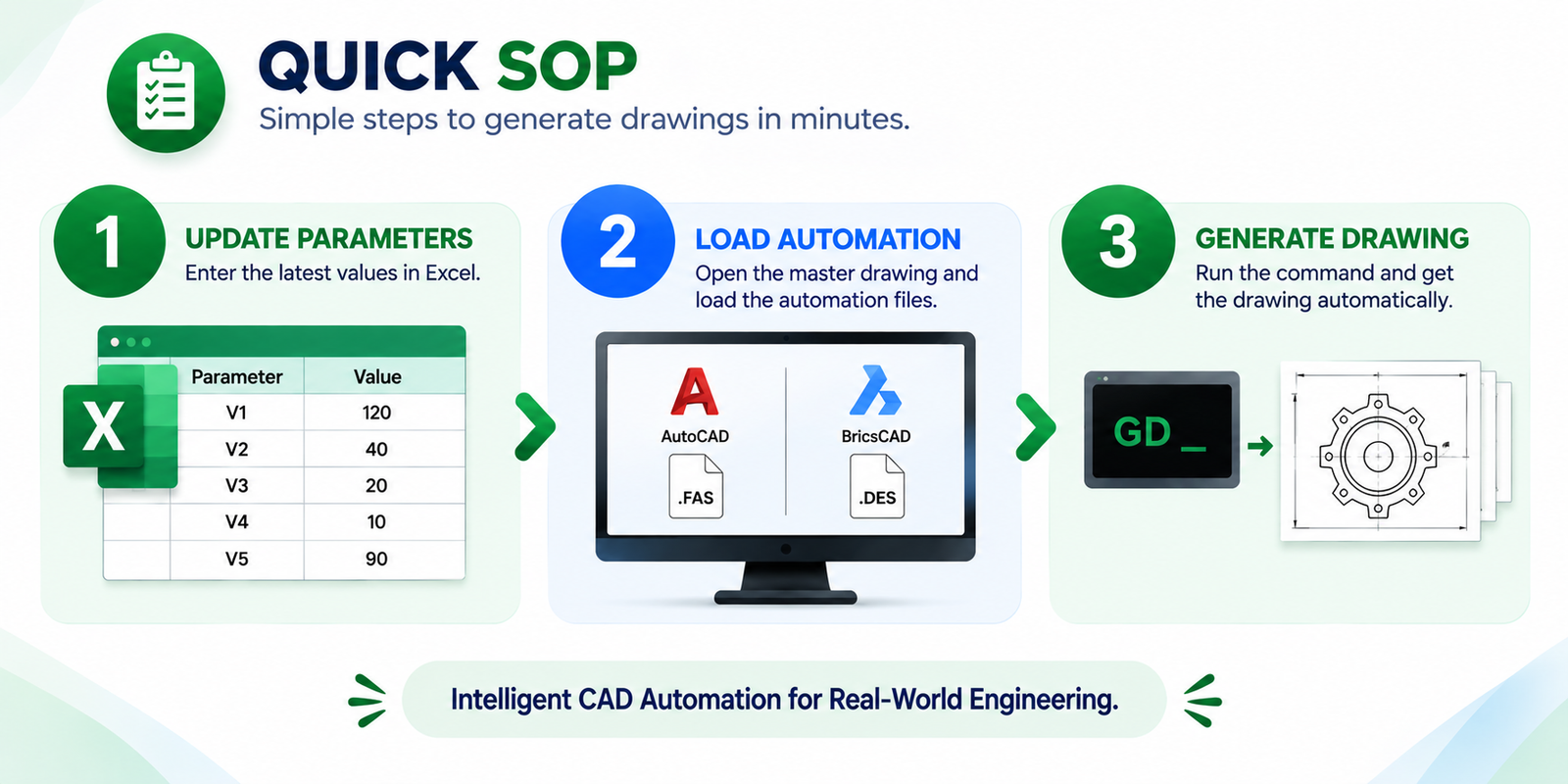
For the end user, it’s as simple as:
Step 1: Input
Enter your design variables and calculations directly into Excel.
Step 2: Run Command
Trigger the custom AutoLISP script inside your CAD software.
Step 3: Output
Inspect your completely drafted, annotated drawing in seconds.
Stop Redrawing What You’ve Already Engineered
Get a free automation audit to see which of your drawing components can be automated—and how much time you can save.
Book Your Free Automation Audit